Drop in a song.
Pick up your part.
Pitband separates a recording into its instruments and writes out the chords, guitar, piano, bass, drums and vocals. Then it helps you practise until you can play along. All of it happens on your Mac.
Coming soon for Mac
For Mac with Apple silicon, macOS 14 or later.
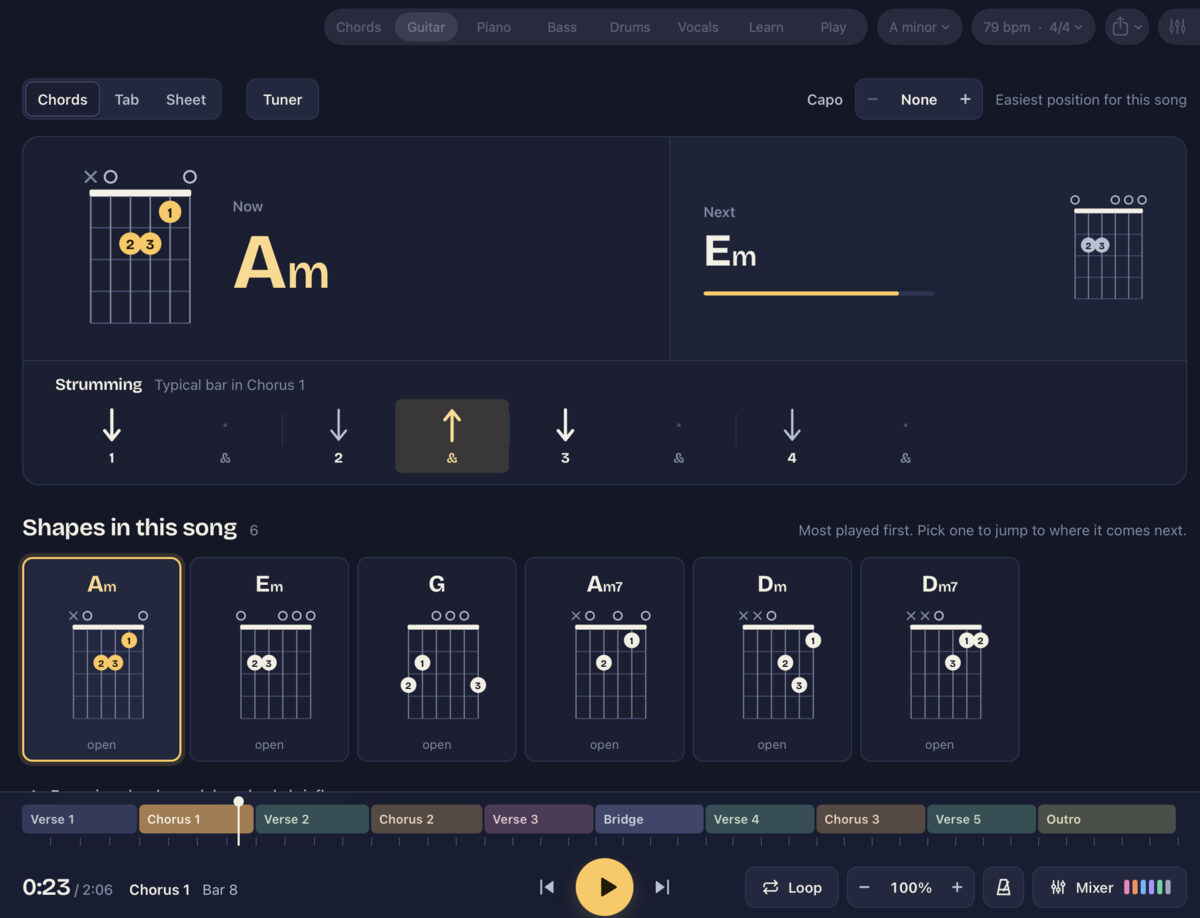
The whole band, written out.
Pitband splits the recording into six stems, one for each instrument and one for everything else. Then it listens to each stem and writes down what it hears.
-
Chord chart
Bar by bar with the words underneath, as chord names, Roman numerals or numbers. Print it for the music stand.
-
Guitar
Chord shapes, tab and sheet music, with the strumming pattern for each section. Add a capo and every shape moves with it.
-
Piano
An arrangement for two hands you can actually play: the tune on top, the chords below. As falling notes or sheet music.
-
Bass
The bass line as tab or notation, or just the roots of each chord when you’re starting out.
-
Drums
The grooves each section is built on, every bar as it’s played, and notation for the whole kit.
-
Vocals
The tune traced over the words, so you can see where the line goes. Or as a lead sheet, with the chords above.
Take it anywhere
Every part exports as MusicXML for your notation app and as MIDI for your DAW. The chord chart prints, too.
A strong first draft, and yours to correct
Transcription is automatic, so expect the odd slip. The key, tempo, chords, bass and drums are usually right; now and then a sus chord comes out as plain major, or a passing note lands in the wrong place. When you hear one, Fix chords puts it right, and every part follows.
Slow it down. Loop it. Play along.
Every instrument in the song has its own fader. Mute yours, and the band plays on without you until you join in.
-
Mute your part, solo any other
Six stems, six faders: vocals, guitar, piano, bass, drums and the rest.
-
Slow down without going flat
Anywhere from half speed to 125%, and every note stays at its pitch.
-
Loop the hard bit
A whole section, or any run of bars, snapped to the beat and repeated as often as it takes.
-
Change the key
Move the song to suit your voice or your hands. The recording moves with it, and so does every part.
-
Count in, click along
A metronome that follows the song’s own beat, and a count-in before you come in.
-
Tune up first
A tuner for guitar and bass, a click away from the music.
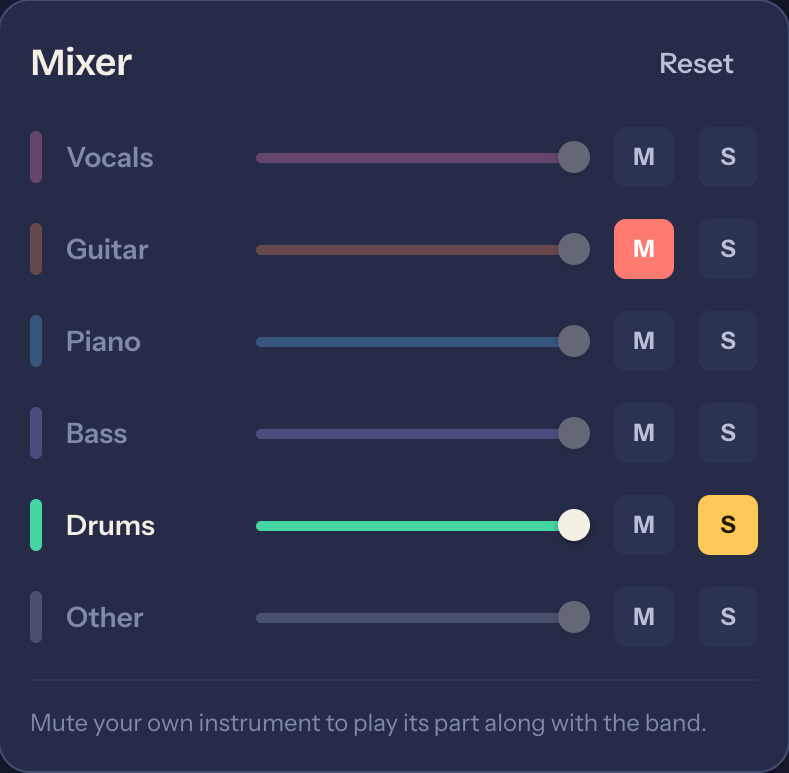
Your hands can stay on the instrument: Space plays and pauses, L loops the section you’re in, and [ and ] slow down and speed up.
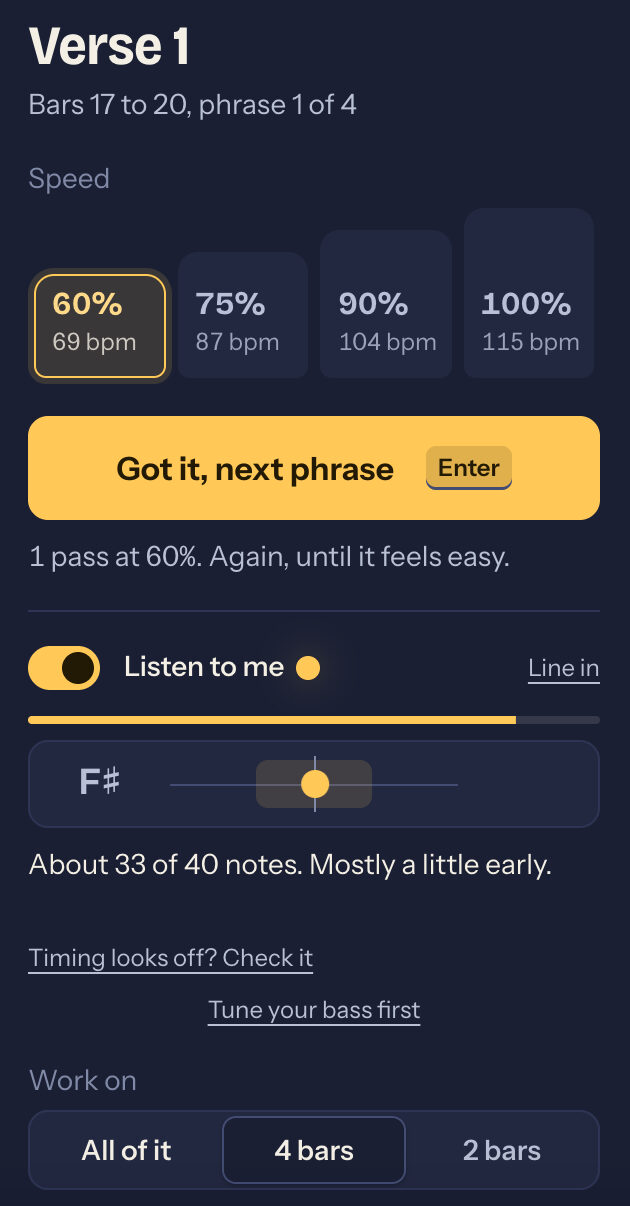
It listens while you learn.
Learn takes the song a section at a time and a phrase at a time, climbing from 60% to full speed. Switch on Listen to me, and after each pass it tells you how it went: how many notes landed, and whether you’re rushing or dragging.
-
Microphone
For your voice or an acoustic instrument. Wear headphones, so it hears you rather than the song.
-
Audio interface
Plug in an electric guitar, a bass or a keyboard for a clean signal straight from the cable.
-
MIDI instrument
A digital piano, electronic drums or a pad controller. Every note is read exactly.
What it hears is analysed as you play, then let go. Nothing is recorded.
Footlights
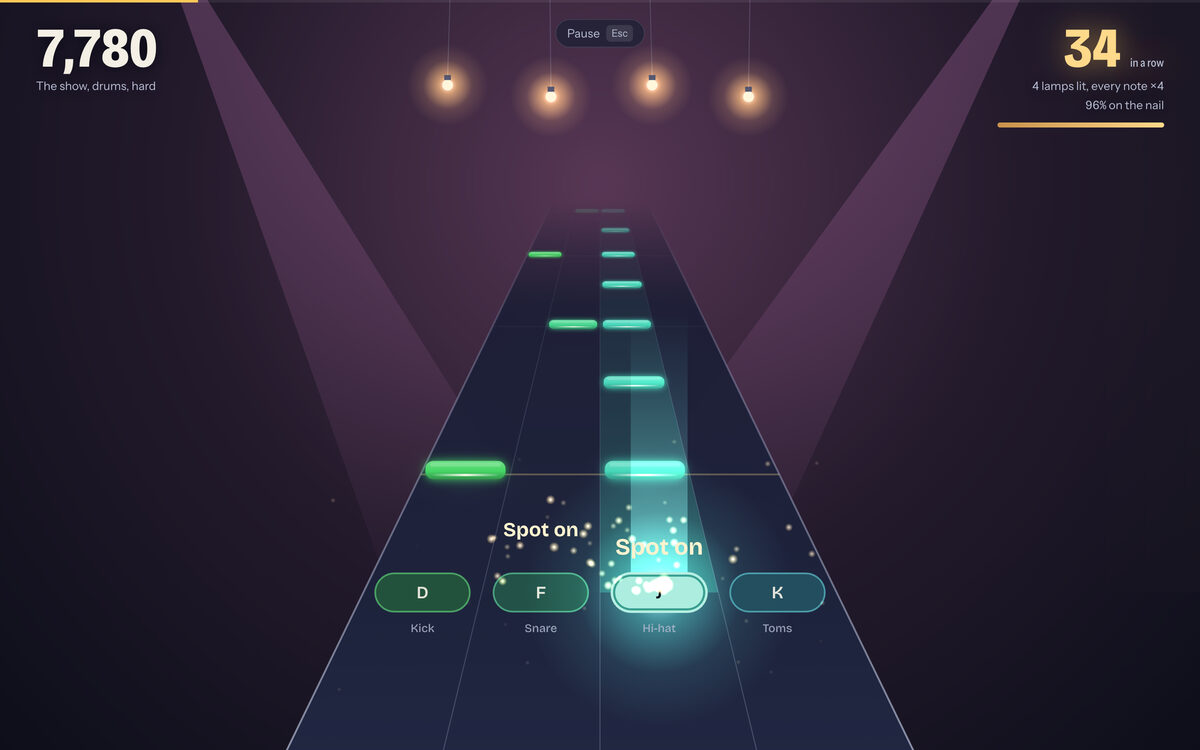
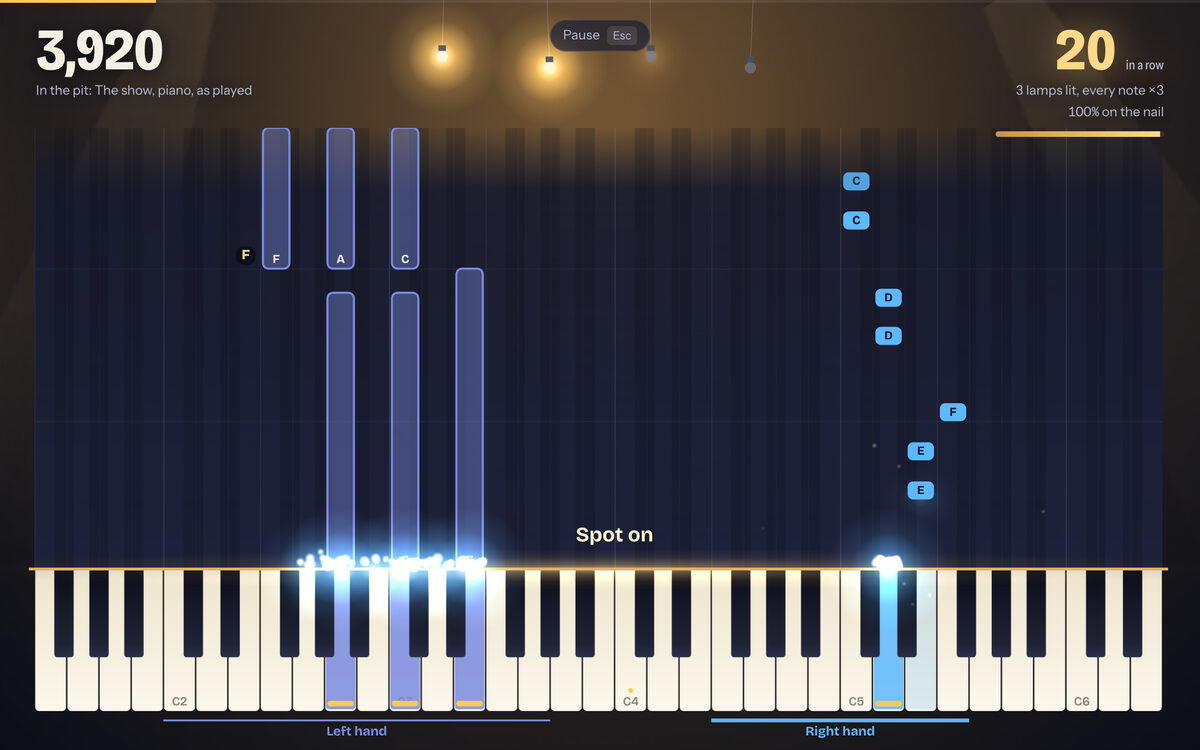
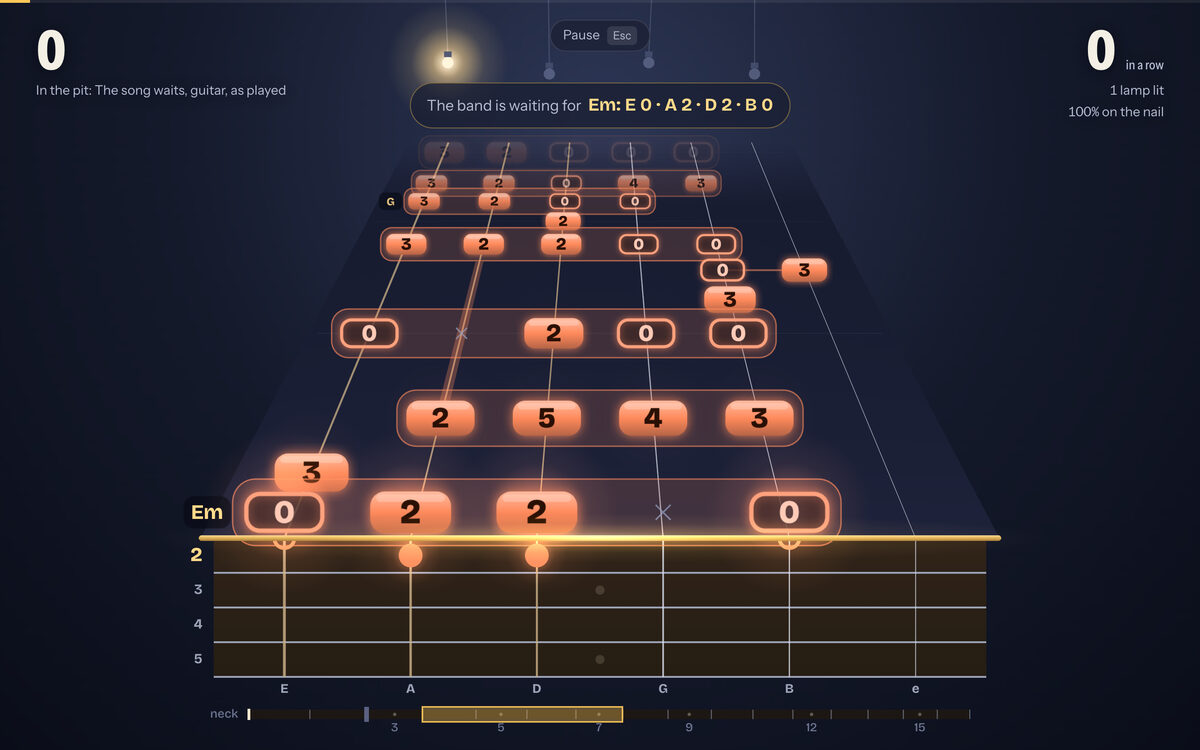
An original play-along game, made from the song you just added. The song comes down the stage towards you: play each note as it reaches the lights, on your Mac’s keyboard, a MIDI instrument, or the real thing through a microphone or cable.
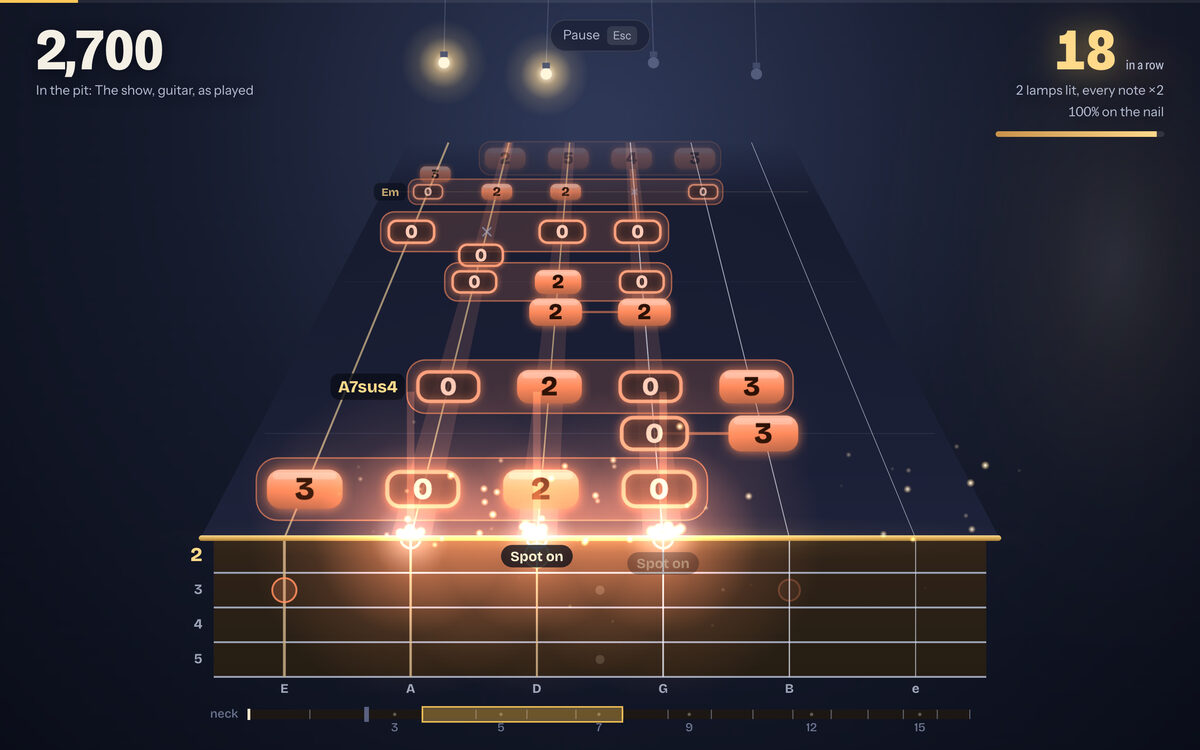
It adapts as you play
Keep up and more notes come in, phrase by phrase. Fall behind and it thins them out again.
Practice runs
No score to lose, and at the end, a list of the bars where notes got away.
Rehearsals
The song’s sections become stages on easy, medium and hard, each ending in the whole song.
Everything happens on your Mac.
Separating the band, writing out the parts and listening to you play all run on your Mac. Your music is never uploaded, and there’s no account to make.
-
Download it
The app is about 15 MB.
-
Open it
The first time, it sets itself up: about six minutes, with a 0.5 GB download.
-
Add a song
A few minutes later, every part is written out. Your first song also fetches the separation and lyrics models, once.
- Mac
- Apple silicon (M1 or later)
- System
- macOS 14 or later
- Disk space
- About 5 GB with its models, plus the songs you add
- Each song
- A few minutes to write out, depending on its length and your Mac
- Account
- None
- Uploads
- None. Your music stays on your Mac.
Questions
The practical things worth knowing before you start.
Where can songs come from?
Drop an audio file onto the window, pick a song from your Music library, or paste a link to a recording on YouTube or SoundCloud. Pitband brings the audio to your Mac and does all its work there.
How accurate is it?
Treat it as a strong first draft. The key, tempo, bar lines, chords, lyrics, drums, bass line and sung melody are usually right, with the odd slip. Guitar and piano “as played” are closer to a sketch, which is why the piano view also gives you an arrangement you can actually play. Songs with a steady pulse and a clear mix come out best.
When a chord is wrong, Fix chords lets you correct it where you hear it, and every part follows.
Which Macs does it run on?
Any Mac with Apple silicon (M1 or later) running macOS 14 or later. It doesn’t run on Intel Macs.
How much disk space does it need?
The app is about 15 MB to download. The first time you open it, it sets itself up with a download of about 0.5 GB, and your first song fetches the separation and lyrics models. With everything in place it uses about 5 GB. Each song you add also keeps its separated stems, so the mixer can play them.
Is my music uploaded anywhere?
No. Separating the band, writing out the parts and listening to you play all happen on your Mac. When you paste a link, Pitband downloads that recording to your Mac, much as your browser would. There’s no account, and the app has no analytics.
Can it hear me play? Does it work with MIDI?
Yes. Learn and Footlights can listen through a microphone, an audio interface (for an electric guitar, a bass or a keyboard’s line out) or a MIDI instrument such as a digital piano or electronic drums. With MIDI every note is read exactly; through a microphone or a cable it’s a close estimate, and it tells you so.
Can I take the parts into other apps?
Yes. Every part exports as MusicXML, which notation apps open, and as MIDI. The chord chart also prints cleanly for the music stand.
Does it need an internet connection?
Only to set itself up the first time, to fetch its models with your first song, and to download a recording when you paste a link. Everything else happens on your Mac.
Can I share what it writes out?
The parts are for your own practice. Transcriptions and stems of songs you don’t hold the rights to aren’t yours to share or publish.
Bring the song you’ve always wanted to play.
Coming soon for Mac
For Mac with Apple silicon, macOS 14 or later.