Slow down music without changing the pitch
In Pitband the speed control runs from half speed to 125%, and every note stays at its pitch. Loops, the metronome, the count-in and the mixer all keep working at any speed, so you can practise a hard passage slowly with the real band behind you.
How to do it
- Add the song and open it in any view: Chords, Guitar, Piano, Bass, Drums or Vocals.
- Set the speed. Use the − and + beside the speed in the transport, or press
[to slow down and]to speed up, in steps of 5%. - Loop the hard part. Press
Lto loop the section you are in, click a section’s Loop button, or shift-click a second bar to loop every bar in between. - Count in and click along if you want: the metronome follows the song’s own beat at whatever speed you choose.
At 100% you hear the recording untouched. Below or above it, the audio is time-stretched so the length changes and the pitch doesn’t: an A stays an A at 60%.
Why slow down without changing pitch
Slowing a recording the old way, like a tape played slower, drops the pitch with the tempo, so the song no longer matches your tuned instrument. Keeping the pitch means you can play along at 60% on the same frets and keys you will use at full speed, and your ear hears the real notes.
A way to practise with it
Slowing down helps most when it is a ladder, not a place to stay.
- Start slow enough to be right. 60% or 75% is a good first rung for a passage you can’t play yet.
- Make the loop short. Two or four bars at a time; join them up once each one is clean.
- Move up when it is easy, not when it is possible. Two clean passes in a row is a fair sign.
- Finish at 100% with the full band, then with your part muted.
This is exactly how Learn works: each part of the song climbs 60%, 75%, 90% and 100%, a phrase at a time, and if you switch on Listen to me it suggests moving up after two good passes. See learning a song by ear.
Speed works with everything else
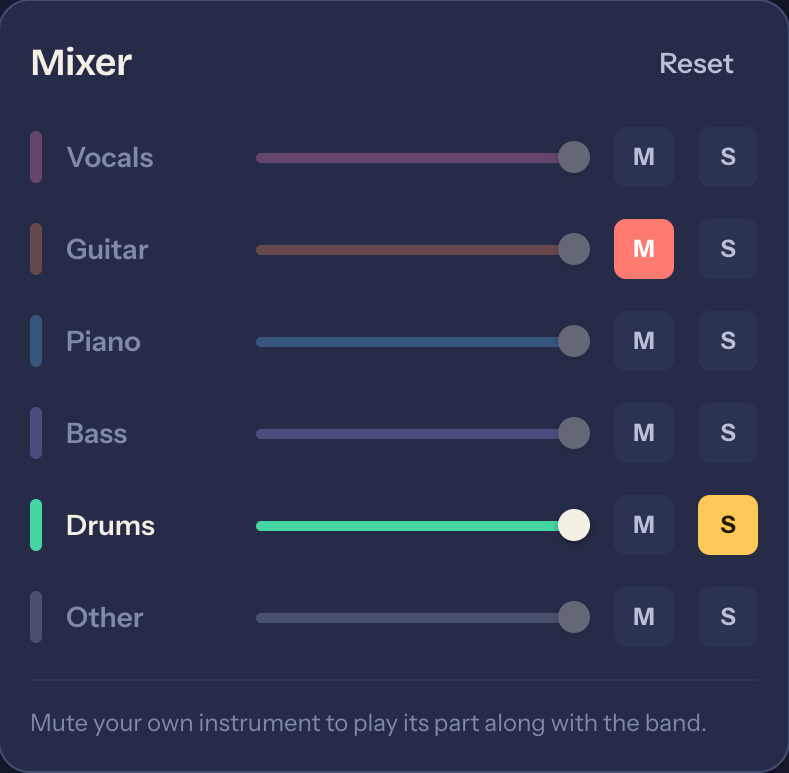
- The mixer. Mute your instrument or solo another while slowed down; the stems stay locked together.
- Loops repeat cleanly at any speed, so you can run one passage as many times as you need.
- Key change. Moving the song by up to six semitones is a separate control, so you can slow it down and put it in a key that suits your voice at the same time.
- The parts. The chord chart, tab, drum grid and falling notes all follow the playback, so your place in the written part is always lit.
Questions
How do I slow down a song on my Mac?
Add the song to Pitband and press [ until it is as slow as you need, or use the − beside the speed. Each press takes off 5%, down to half speed, and the pitch stays put.
What kind of app can slow down music?
Any player with time-stretching, which changes the length of the audio without changing its pitch. For practice, look for loops that snap to bars, a metronome that follows the song, and a way to mute your own part: Pitband has all three.
How slow can it go?
Half speed, 50%. It also goes faster than the record, up to 125%, for when you want the real tempo to feel easy.
Does it sound strange when slowed down?
Time-stretching is never quite the original, and the further you slow down the more you hear it: sharp attacks, drums especially, soften a little. Pitch, timing and every stem stay exactly together.
Can I change the pitch without changing the speed?
Yes. The key control moves the song up or down by up to six semitones, and the recording is shifted with the chart (the drums are left alone).
Updated .